---blog Title---
How to Diagnose and Fix GA4 Unassigned Traffic Issues
---desktop---

---mobile---

How to Diagnose and Fix GA4 Unassigned Traffic Issues
Open up almost any GA4 property right now and check the acquisition report. Odds are decent you'll find a chunk of traffic sitting in "Unassigned" , no source, no medium, nothing to attribute it to. It's one of the most common complaints analytics teams bring up right now, and also one of the most misdiagnosed.
The usual move is to treat it as a tagging cleanup job. Standardize a few UTMs, maybe stand up a custom channel group, and hope the number shrinks. Sometimes it does. A lot of the time it barely moves, and the team ends up more confused than when they started because the traffic wasn't unassigned due to bad naming. It was unassigned because GA4 never had the identity data to categorize it in the first place.
That's a measurement problem, and measurement problems don't stay contained to one report. If GA4 can't classify the channel, there's a decent chance it's also struggling with session identity, event timing, or consent state somewhere upstream which means your attribution model, your funnels, and your campaign ROI numbers are quietly absorbing the same gap.
---outlined-cta---
Quick Fact: GA4 data processing can take 24–48 hours. Therefore, a short-term spike in Unassigned traffic may be temporary rather than a structural issue.
Google
Quick takeaways
- GA4 has 19 default channels Anything that doesn't match one of their fixed rules lands in Unassigned. It's the fallback, not a channel.
- Only 4 medium values map to Email email, e-mail, e_mail, e mail. mail and em map to nothing and go straight to Unassigned.
- Wait 48 hours before you diagnose anything GA4 takes 24–48 hours to fully process traffic-source data, and fresh Unassigned volume routinely shrinks on its own.
- Unassigned, (not set), and Direct are three different failures. Direct is a successful match to a rule. Unassigned is no match at all. (not set) is missing input and it's the one that should worry you.
What GA4 Unassigned Traffic Actually Means
Google's own documentation puts it plainly: the unassigned row appears "when Digital Analytics solutions cannot categorize the source of traffic." GA4 sorts every session or event into a channel using a fixed set of rules, Organic Search, Paid Social, Email, Referral, and so on based on dimensions like source, medium, and campaign. When a session doesn't satisfy any rule in the channel group you're viewing, it falls into Unassigned.
There are really two different failure modes hiding under one label:
- GA4 has source/medium data, but it doesn't map to any default or custom channel rule.
- GA4 doesn't have usable source/medium or session identity data for that hit, so there's nothing to evaluate.
Fixing #1 is a naming and rules problem. Fixing #2 is a tagging and implementation problem. Most teams only ever chase #1.
Unassigned vs. (not set) vs. Direct: Three Different Problems Wearing One Label
Before you diagnose anything, sort out which bucket you're actually looking at, because the fixes don't overlap.
Unassigned: GA4 tried to run its channel grouping logic and failed, either because of a rule mismatch or missing identity data, as above.
(not set): A specific dimension has no value for that row. You'll see "(not set)" show up next to Session source/medium, Landing page, or dozens of other dimensions independently of channel grouping. A row can have a perfectly good channel and still show "(not set)" for something like a page title if that data point wasn't captured.
Direct: GA4 assigned a channel, and that channel happens to be Direct, usually because there was no referrer and no campaign parameters, which is a valid, deliberate classification ,not a failure state. Direct is GA4 succeeding at categorization and landing on "no source information available," which is different from Unassigned, where categorization itself broke down
---outlined-cta---
Find What’s Causing Your Analytics Data Gaps
Xerago TrueMeasure helps identify tracking issues, measurement gaps impacting your GA4 reporting accuracy.
How does GA4 decide which channel your traffic belongs to?
Two paths, and knowing which one applies narrows your diagnosis by half.
Path 1: platform-identified traffic For Google Ads, DV360, CM360, SA360, and Merchant Center, GA4 uses source platform plus ad network type or campaign type. You don't tag it; the integration does. When this path breaks, it's usually because Google Ads isn't linked to the property or auto-tagging is off.
Path 2: manual traffic Everything else is matched on source and medium against regex-based rules. A few worth memorising, because they're where most Unassigned is born:
- Email → source or medium equals “email, e-mail, e_mail, or e mail”
- Organic Social → source matches a maintained list of social sites, OR medium is one of social, “social-network, social-media, sm, social network, social media”
- Any Paid channel → medium matches ^(.cp.|ppc|retargeting|paid.*)$
- Display → medium is “display, banner, expandable, interstitial, or cpm”
- Referral → medium is “referral, app, or link”
Note what's missing: pdf, influencer, partner, newsletter, whatsapp, mail. All perfectly reasonable. All Unassigned.
Also note the rules are case-insensitive and can't be edited. That's the constraint the rest of this article works within.
What Causes GA4 Unassigned Traffic
Six causes cover the overwhelming majority. They're listed here roughly in order of how expensive they are to ignore.
-
Non-standard UTM source/medium values A medium of "social-paid" or "email_newsletter" instead of something GA4's rules recognize can push a hit right past every channel rule with nothing to catch it.
-
Missing UTMs entirely Traffic arriving with a referrer that GA4 doesn't have a mapping for, and no campaign parameters to fall back on.
-
Events firing before the Google tag/config loads This was my two-day mistake. If a custom event fires before tag config has established a session, that event has no session-level source/medium to inherit, and it lands in Unassigned regardless of how clean your UTMs are.
-
Server-side tagging misconfiguration
Three failure modes, all common:
- Duplicate implementations Google explicitly warns against maintaining both a server-side and a standalone client-side implementation on the same page for the same GA4 property. If some hits go to google-analytics.com and others go to your sGTM endpoint, attribution breaks.
- Server-managed client ID It's on by default when you create a GA4 client. If you use it, all measurement for that stream has to flow through the server tag ,none direct to Google.
- Missing server_container_url on event tags. The Google tag has it; the event tags often don't.
-
Consent Mode or CMP timing issues If your consent management platform fires after certain tags, or consent state changes mid-session, GA4 can lose the thread on session identity for the hits caught in that gap.
-
Audience-triggered or backend-triggered events Events pushed into GA4 via Measurement Protocol from a backend system (say, a CRM syncing an offline conversion) often arrive with no session context at all, because they were never part of a browser session to begin with.
How do you diagnose GA4 unassigned traffic step by step?
Here's the order I actually work through:
Step 1 - Wait 48 hours before judging fresh data GA4 can take 24–48 hours to fully process attribution data specifically (it's the slowest data type to settle). If you're looking at today's or yesterday's numbers, exclude them. Set your date range to end at least two days back.
Step 2 - Check Session Source/Medium on the unassigned segment In Traffic Acquisition, filter the table to Unassigned, then add Session Source/Medium as a secondary dimension. This single view tells you whether you're dealing with a UTM-hygiene problem (you'll see real-but-nonstandard values like pdf, linkclick, community) or a data-collection problem (you'll see mostly (not set) / (not set)).
Step 3 - Compare session, user, and event-scoped channel dimensions Because Unassigned is scope-dependent, checking only one scope can hide the real pattern. If event-level unassigned is much higher than session-level, look at event ordering and audience triggers before touching UTMs.
Step 4 - Look for (not set) concentration As covered above, this reroutes your whole investigation toward implementation, not tagging.
Step 5 - Audit your campaign naming conventions against Google's official channel rules Not from memory, pull up the actual rule table and check your live UTM values against it.
Step 6 - Validate GTM firing order and the Google tag's initialization trigger The config/Google tag needs to fire before any event tag, including audience-triggered events. If it fires late, session identity forms late, and everything before that point risks landing in (not set).
Step 7 -Test consent states Load the site as a user who denies consent, then as one who accepts. Compare how source/medium populates in both paths.
---insight-section---
Where measurement assurance fits
Everything above is a manual audit. It works once. Then a release ships, a landing page gets rebuilt, a new tag goes in, and you're re-running the whole sequence six weeks later after the numbers have already fed a budget decision.
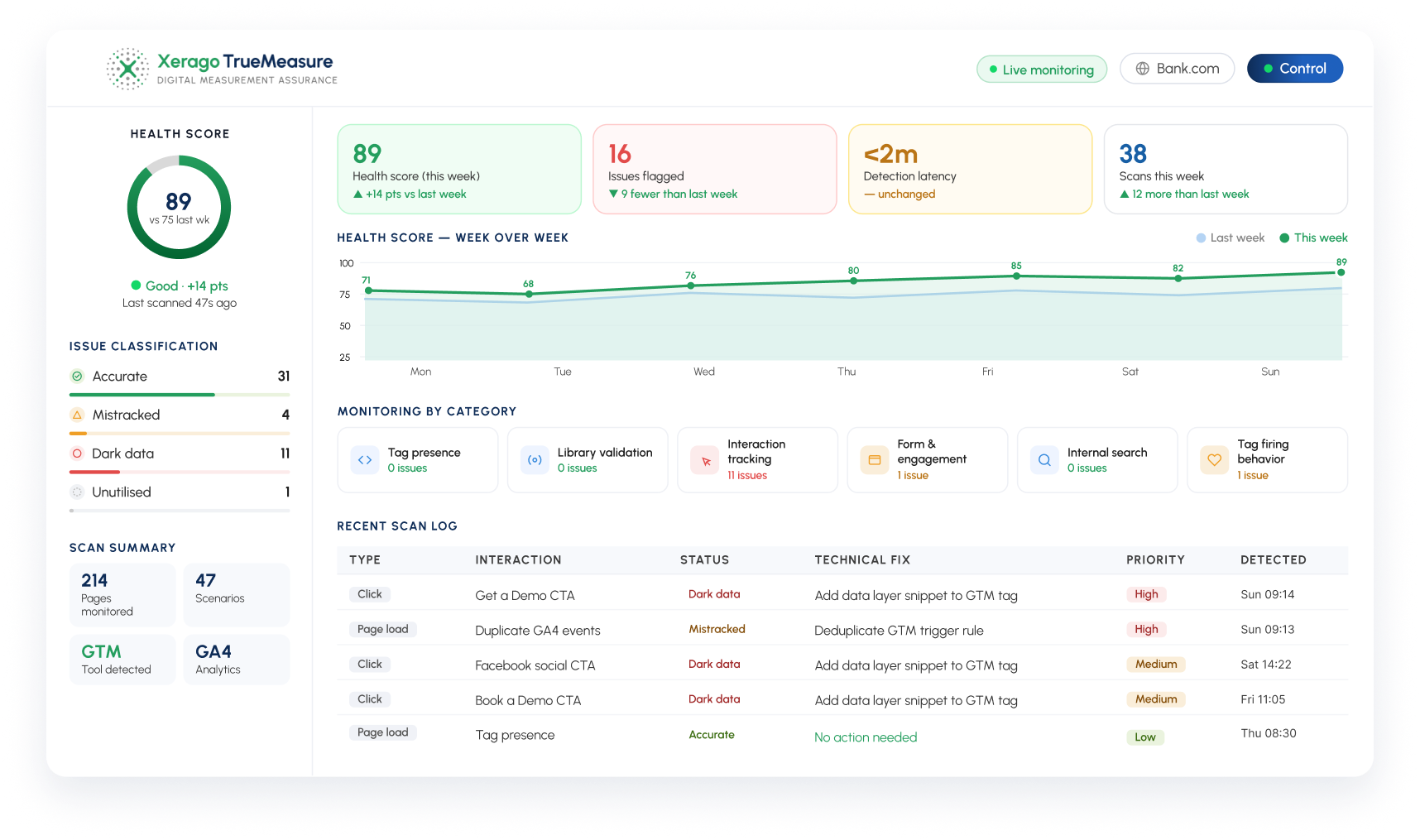
Xerago's TrueMeasure is built for that gap: it detects tracking gaps, validates funnel and conversion data, and fixes measurement issues before they distort attribution reports and campaign decisions. Xerago's own framing is that 15–30% of interactions are typically mistracked, dark, or unutilized , which is roughly the range where Unassigned stops being cosmetic and starts moving money.
To be precise about what it does and doesn't do: TrueMeasure doesn't change GA4's channel rules, nothing can. It works on the layer underneath, where the inputs to those rules get created or lost.
---end---
How do you fix "Unassigned" Traffic?
Standardize UTMs One shared document of approved values, enforced across every team touching a link. Default to values GA4 already recognizes rather than inventing your own.
Create custom channel groups for the values you can't change. Affiliate links, print QR codes, partner co-marketing: use a custom channel group. Two caveats. First, custom channel groups apply retroactively to reports, which is genuinely useful for cleaning up history. Second ,and this is the one people miss ,Unassigned will still sit in the default group. You've built a better view, not fixed the data. Limits: 2 groups per standard property, 5 on 360, 50 channels each.
Set your primary channel group The default channel group can't be edited, ever. But GA4 lets you promote any custom channel group to be your property's primary channel group in Admin → Channel groups. It starts as a copy of the default definition and becomes your property's editable default. One catch: primary channel group data populates using the new criteria from that point forward, not backwards.
Fix the tag order Google tag on Initialization – All Pages. Event tags on DOM Ready or Window Loaded if they're racing it. Full config before any event.
Eliminate duplicate implementations One GA4 property, one delivery path. Find hardcoded tag snippets and analytics plugins, migrate their events into GTM properly, then remove them.
Re-validate after every change This is the step teams skip, and it's the one that matters. Changing tag order changes session boundaries. Changing session boundaries changes conversion attribution. Ship a fix, then verify the conversion and funnel events still behave.

FAQ’s
What does "Unassigned" mean in GA4?
Unassigned is the default channel group GA4 uses when a session or event's source, medium, or campaign data doesn't match any of its predefined channel rules. It's not an error message ,it's a catch-all category, and it can appear at the user, session, or event level.
Is GA4 unassigned traffic the same as (not set)?
No. (not set) means a dimension's data is missing entirely; Unassigned means the channel group rules couldn't categorize the data that was present. A session with (not set) source/medium will almost always show up as Unassigned, but not all unassigned traffic is (not set) ,some of it has real, just non-standard, values.
Can I fully eliminate unassigned traffic in GA4?
No, and I'd be cautious of anyone who claims you can. Some unassigned traffic is structurally expected ,custom UTM mediums used on purpose, recurring payment events, occasional audience-trigger events. The realistic goal is minimizing the unexpected portion, not driving the number to zero.
Can I edit GA4's default channel group rules?
No. The default channel group's rules are fixed by Google and cannot be edited. You can create a custom channel group with your own rules layered on top, but that doesn't change what falls into Unassigned in the default view.
Is unassigned traffic always caused by bad UTM tagging?
No ,UTM hygiene is one cause among several. Event firing order, server-side tagging misconfiguration, Consent Mode timing, audience triggers, and normal GA4 processing delay can all produce unassigned traffic independent of your UTM setup.
How long should I wait before investigating a spike in unassigned traffic?
At least 48 hours. GA4's attribution data specifically can take up to two full days to finish processing, and a same-day or next-day spike is very often processing lag rather than a real tracking issue.